
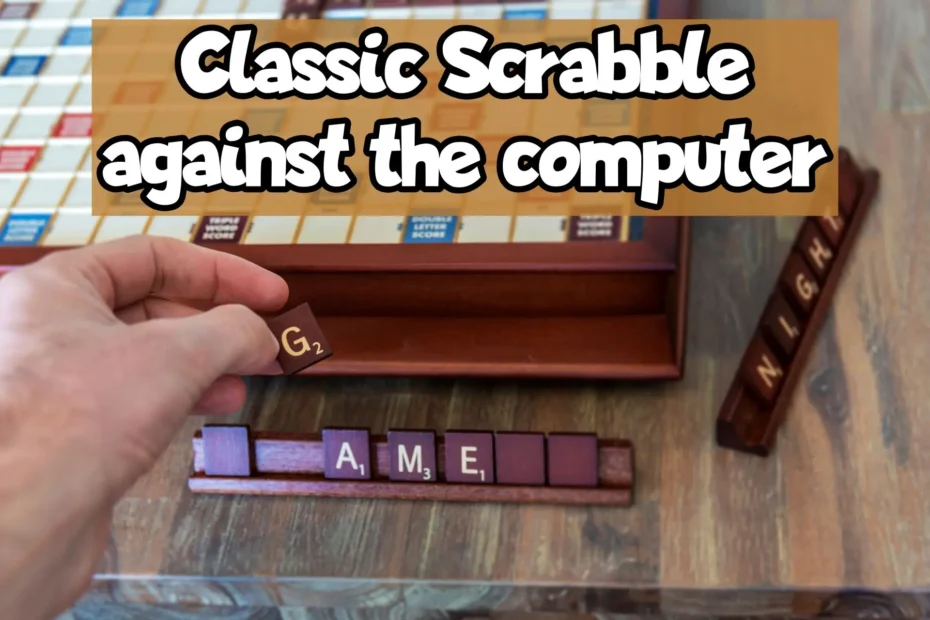
You don’t always have a partner to play Scrabble against, and even though the modern landscape has made it possible to play classic Scrabble (or any variants) online against other players, sometimes you simply want to take your time (or you don’t have an internet connection).
That is when playing Scrabble against the computer comes in handy and today I am here to share all the methods and games, for PCs and Laptops, including Mac but also smartphones and tablets.
I will focus on the computer version of Hasbro’s Scrabble, using the classic word board game rules and play, but I will have even more classic adaptations in case you want them.
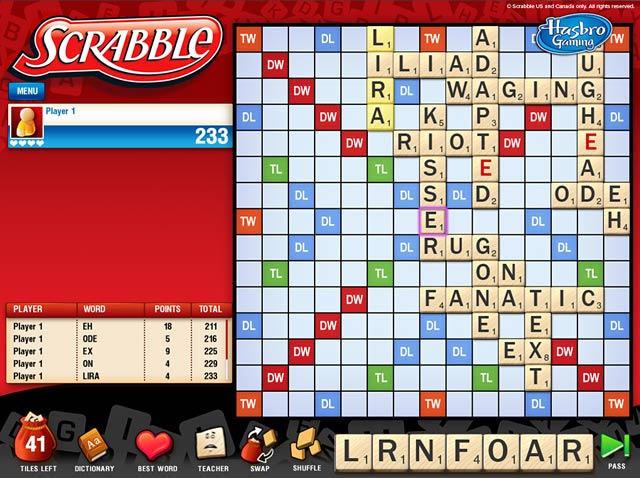
Best Modern Ways to Play Scrabble Against the Computer or AI
The landscape for board games has changed tremendously over the last few years, making playing classic Scrabble against an AI opponent easier than ever. Here are the best ways to play today.
1. The Official Scrabble App (iOS & Android)
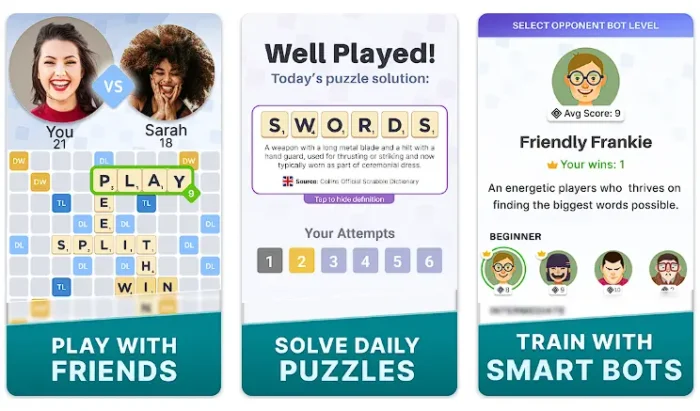
While Electronic Arts handled the official Scrabble game on mobile early on, it is now managed by Scopely and is named “Scrabble – Official Word Game“.
For players who want a pure, traditional experience, their streamlined official word game app is the best mobile choice (and if you get bored of playing against the computer, you can play online multiplayer too!).
- Gameplay and Features: This app focuses on the core board game mechanics without the overwhelming clutter of modern arcade boosts.
- AI Training: You can easily set up solo matches against computer bots. The app allows you to adjust the bot’s difficulty level, making sure that you always play against an opponent matching the exact skill you desire.
- Built-in Tools: It features an integrated official dictionary. If a bot plays an obscure word, a quick tap will reveal its definition, helping you expand your vocabulary as you play.
You can download it on your phone from the App Store or Google Play.
2. Browser-Based Web Portals (PC & Mac)
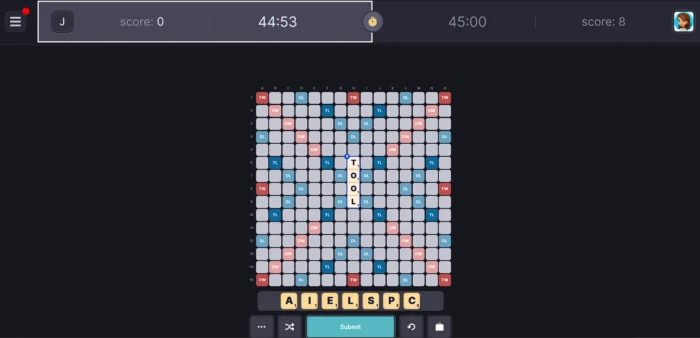
If you prefer the larger screen of a desktop or laptop, you can play premium Scrabble directly through your web browser without downloading any heavy software.
- Gameplay and Features: The official web portals feature clean, modern interfaces that replicate the tabletop experience perfectly.
- Bot Matches: Simply navigate to the main lobby and select the option to play against the computer. You can customize the ruleset, toggle timers, and select your preferred AI difficulty before the tiles are drawn.
Play on the official website of PlayScrabble.com
3. The Internet Scrabble Club
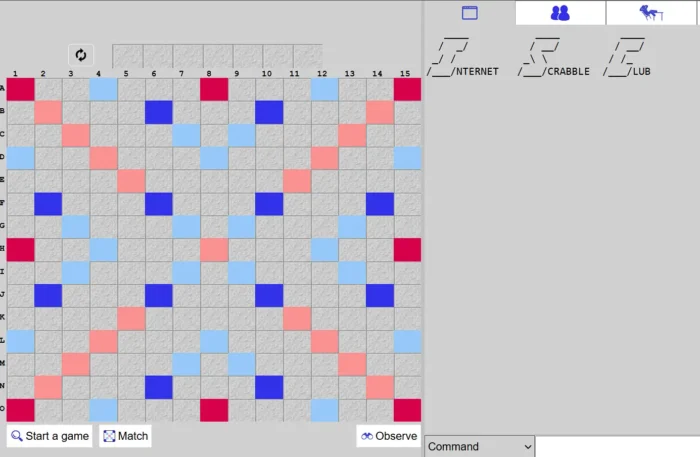
For the absolute purist, the Internet Scrabble Club (ISC) remains a legendary, no-frills destination.
- Gameplay and Features: Known for its lightning-fast interface and highly competitive community, this platform is completely free and devoid of ads.
- Advanced AI: While famous for live multiplayer, you can easily command the system to boot up a bot match. Because it strictly adheres to official tournament dictionaries (like NASPA or Collins), it is widely considered the best digital sparring partner for hardcore players.
You can find it over at its official website here.
Legacy Scrabble PC Games
If you still keep an older Windows setup running, or if you simply feel the nostalgia hit and you want to play one of the originals, you probably know that the classic Hasbro CD-ROM releases hold a special place in gaming history.
While these are essentially abandonware today and may require compatibility tweaks to run on modern machines, they offered some incredibly unique features at the time and are flawless vintage gaming engines still.
Here is what you should look for – although finding them is the real challenge:
1. Scrabble Plus SB
This beloved vintage edition was packed with creative alternative modes.
Beyond the standard classic ruleset, players could tackle “Golf” mode (where the goal was to reach the green by stringing together lengthy words), engage in the highly strategic “Battle” mode, or test their pure lexical knowledge with “Wizard” challenges.
2. Scrabble Crossword Champion Edition
Crafted with direct input from National Scrabble Association champions, this software was the ultimate training tool of its era.
It boasted eight distinct tiers of advanced AI difficulty, players could battle the clock, track their progress in an archived high-score list, and rely on built-in tools like auto-validation and pop-up hints powered by the Merriam-Webster dictionary.
3. Classic Scrabble (by Hasbro & PopCap)
This version offered a highly faithful, straightforward recreation of the physical board game for both PC and Mac.
It featured a solo mode against the computer, but its standout feature was the “HotSeat” local multiplayer.
You could easily pass the mouse around the desk to challenge up to three friends in the same room. Ah, those were the times!
More Board Games You Should Play on Your Computer or Phone
For more board games to play against the computer or even in single player at your own pace, I recommend reading my other articles listed below:
- Classic Monopoly for Mac and PC.
- Monopoly Here and Now for iPad, iPhone, PC and Mac.
- Play Risk Online for Mac and PC.
- Hasbros Risk II – Game Review for PC and Mac.
- Top 10 Best Word Games for PC & Mac to Download Today.
- 10 Free Online Mahjong Games.
And also checkout my latest Board Game News and Reviews posts.
Don’t forget, you can Subscribe or Follow and get updates of my latest posts.